


How to Place an Order
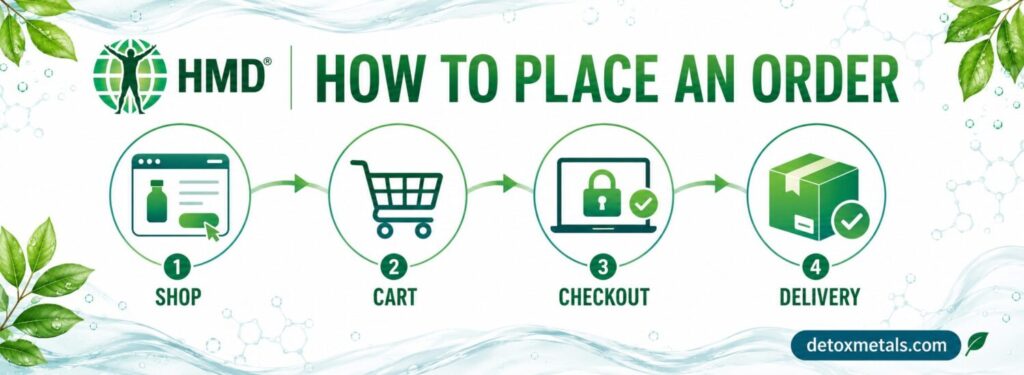
Ordering from DetoxMetals.com is straightforward. Follow the steps below to choose your products, review the available shipping options and complete your payment securely.
Step 1: Browse the HMD® product range
Visit the Detox Metals Shop to explore the complete product range.
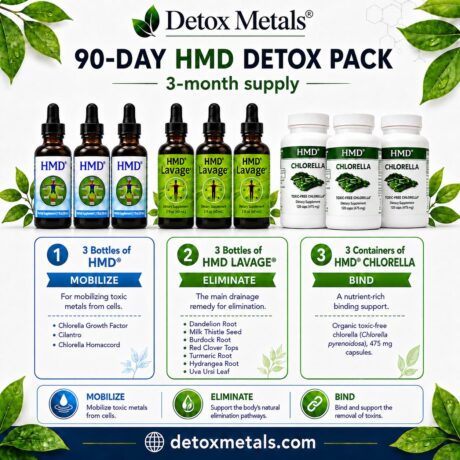
You can browse individual products, HMD® Detox Packs and longer-term programme options. Select a product to review its description, ingredients, directions for use, pack contents and customer reviews.
Products may also be added directly to your basket from the Shop page by selecting Add to cart.
Step 2: Add products to your cart
Choose the products you would like to order and select the required quantity.
Click Add to cart. A confirmation will appear, together with a View cart link. You may then:
continue shopping and add other products;
select View cart; or
open the shopping cart from the top of the website.
Visit your Shopping Cart at any time to review your order.
Step 3: Review your shopping cart
The Cart page displays:
the products you have selected;
the price of each product;
the quantity ordered;
your subtotal;
available shipping methods;
shipping charges; and
the total payable before payment.
You can increase or decrease product quantities by clicking on the + and – signs next to the quantities. You can also remove any product that you no longer wish to purchase by clicking on the bin icon.
If you have a valid promotional code, enter it in the Coupon code box and select Apply coupon.
Checking your shipping cost
Shipping costs depend on your destination, the contents of your order and the shipping service selected.
If the destination displayed in the Cart is incorrect, select Change address and enter the correct country, town or city, and postcode. The available delivery services and shipping charges will then be recalculated.
Delivery estimates shown beside each shipping option are estimates, not guaranteed delivery dates. Customs clearance, public holidays, weather and carrier delays may affect international deliveries.
When you are satisfied with your order, select Proceed to checkout.
Step 4: Enter your billing and delivery details
You can place an order without creating an account.
On the Checkout page, enter your:
first and last name;
country or region;
complete street address;
town or city;
postcode or ZIP code;
telephone number; and
email address.
Please check this information carefully. An incomplete or incorrect delivery address may result in delays or prevent the carrier from delivering your parcel.
If your order should be delivered to an address different from your billing address, select Ship to a different address and provide the required delivery details.
You can also use the Order notes box to add relevant delivery information. However, delivery requests cannot always be guaranteed because the final delivery is handled by the carrier.
Step 5: Select a shipping method
The shipping services available for your destination will appear in the Your order section.
Choose your preferred option and review:
the shipping charge;
the estimated delivery period; and
the final order total.
Shipping options differ according to the destination and may include registered postal delivery or international courier services.
For further information about order processing, estimated delivery times, tracking, customs charges and returns, please read our Shipping and Returns Policy.
Customs duties and import taxes
Orders delivered outside the country of dispatch may be subject to local customs duties, taxes or import fees. These charges are determined by the destination country and, where applicable, are the customer’s responsibility.
Customs charges are not included in the product price or the shipping charge displayed at checkout unless specifically stated.
Step 6: Choose your payment method
The payment methods currently available at checkout are:
PayPal; and
credit or debit card.
When paying by card, use the secure payment form provided during checkout. The card types available to you may depend on the payment provider, your card issuer and your country.
Before placing your order, review the products, quantities, delivery address, shipping service and final total.
You must also confirm that you have read and agree to the website’s Terms and Conditions.
For more information about payment protection, please visit our Payment and Security page.
Step 7: Complete your order
Select the payment button shown for your chosen payment method and follow the instructions provided.
Do not close or refresh the page while the payment is being processed.
Once the payment has been completed successfully, you should see an order confirmation page. An order confirmation will also be sent to the email address entered during checkout.
If the email does not arrive within a few minutes, please check your spam or junk folder. It is also worth confirming that the email address entered with the order was correct.
Order dispatch and tracking
Orders are normally processed according to the times stated in our Shipping and Returns Policy. You will receive an email when your order has been dispatched.
Tracking information will be provided when it is available for the shipping service selected. Please allow some time after receiving the dispatch email for the carrier’s tracking system to update.
Need help with your order?
If you experience difficulty placing an order or completing payment, please contact us before attempting payment repeatedly.
You can reach our support team through:
Email: admin@detoxmetals.com
Contact form: Contact Detox Metals
Telephone: +357 24 823 322
When contacting us about an existing order, please include your order number. For your security, never send complete card details by email, telephone or live chat.
Ready to order?
Browse the HMD® product range and choose the products or wellness pack that best suits your intended routine.